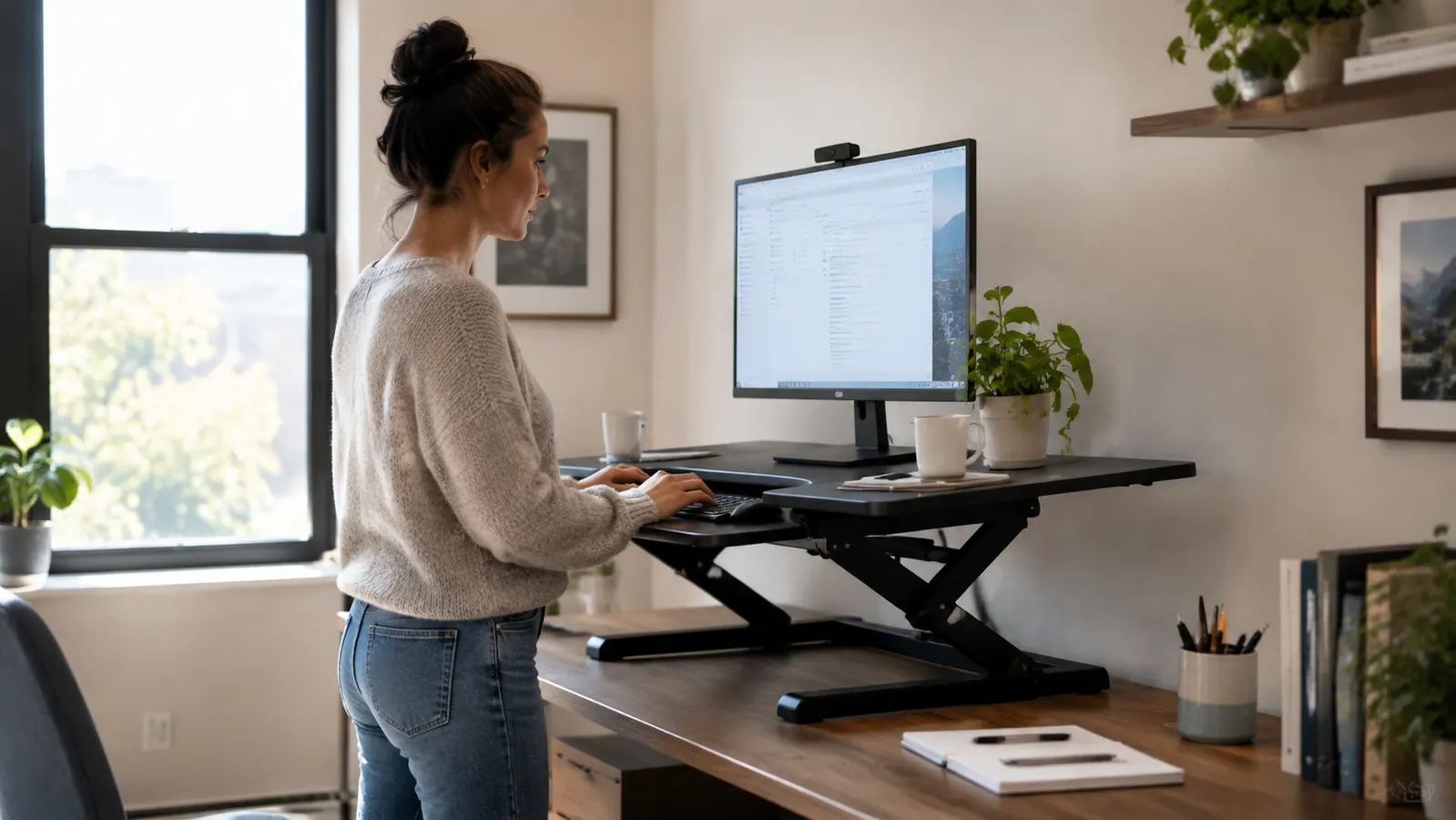
For the last four months, the VIVO desk converter has sat on the desk in my home office in Raleigh, and I have developed strong opinions about it. I write technical manuals for a living, which means hours of staring at a single monitor with my hands on a wired keyboard and my lower back pressed into a chair that has seen better days. My back has never been the same since a car accident in 2015, and by the third hour of a long writing block it starts to ache in a way that no stretch seems to fix. I did not want to replace my desk, and I did not want to run new cables or mount anything to the wall. I wanted a way to stand up and keep working without losing the desk that already worked. That is how the VIVO 36 inch sit stand converter ended up on my desk, and this review is about the parts the product page skips: the assembly, the wobble at full height, the keyboard tray, and what it is like to live with this thing every day.
The short version is that the VIVO does what it claims, but it has quirks you only discover after living with it. The instructions cover the basics and assume you have the patience of someone who enjoys furniture assembly. The raised platform sits higher than I expected the first time I used it. The keyboard tray, which I almost removed on day one, turned out to be the feature I reach for the most. If you are trying to decide between this and a full standing desk, I will tell you exactly where the converter falls short and where it makes more sense.
The Quick Verdict
A stable sit stand converter for a single monitor and a sturdy desk. Setup takes about an hour, the top height wobbles a little, and the keyboard tray grows on you.
Amazon Check Today's Price →Want to stand without replacing your whole desk?
The VIVO converter has more than 15,000 ratings on Amazon and it has earned a permanent spot on my desk. If your situation sounds like mine, this is a proven way to mix sitting and standing.
Amazon Check Today's Price on Amazon →How I've Used It
The box arrived at the end of February, on a Tuesday. Inside there were two main sections, a keyboard tray, a hardware bag, and a folded instruction sheet. The top platform and the lower base fit together with a gas spring mechanism, which means you are lifting the heavy part while trying to line up brackets. Assembly took me fifty minutes and one very small moment of doubt when a screw would not catch. The instructions suggest two people, and I can see why. If you are assembling it alone, rest the top section on a chair or a stack of books so you are not holding its full weight while you work.
My office is a ten by eleven foot converted spare bedroom with one north facing window and beige carpet I cannot replace. My desk sits against the long wall, and the VIVO occupies the center of the desktop with a few inches of space on each side. That did not sound like a problem until I realized my desk lamp no longer had its usual corner. I moved the lamp to the window side and found a new home for a stack of reference books. The converter is not a small footprint. It takes over the middle of your desk, and you should plan for that before it arrives.
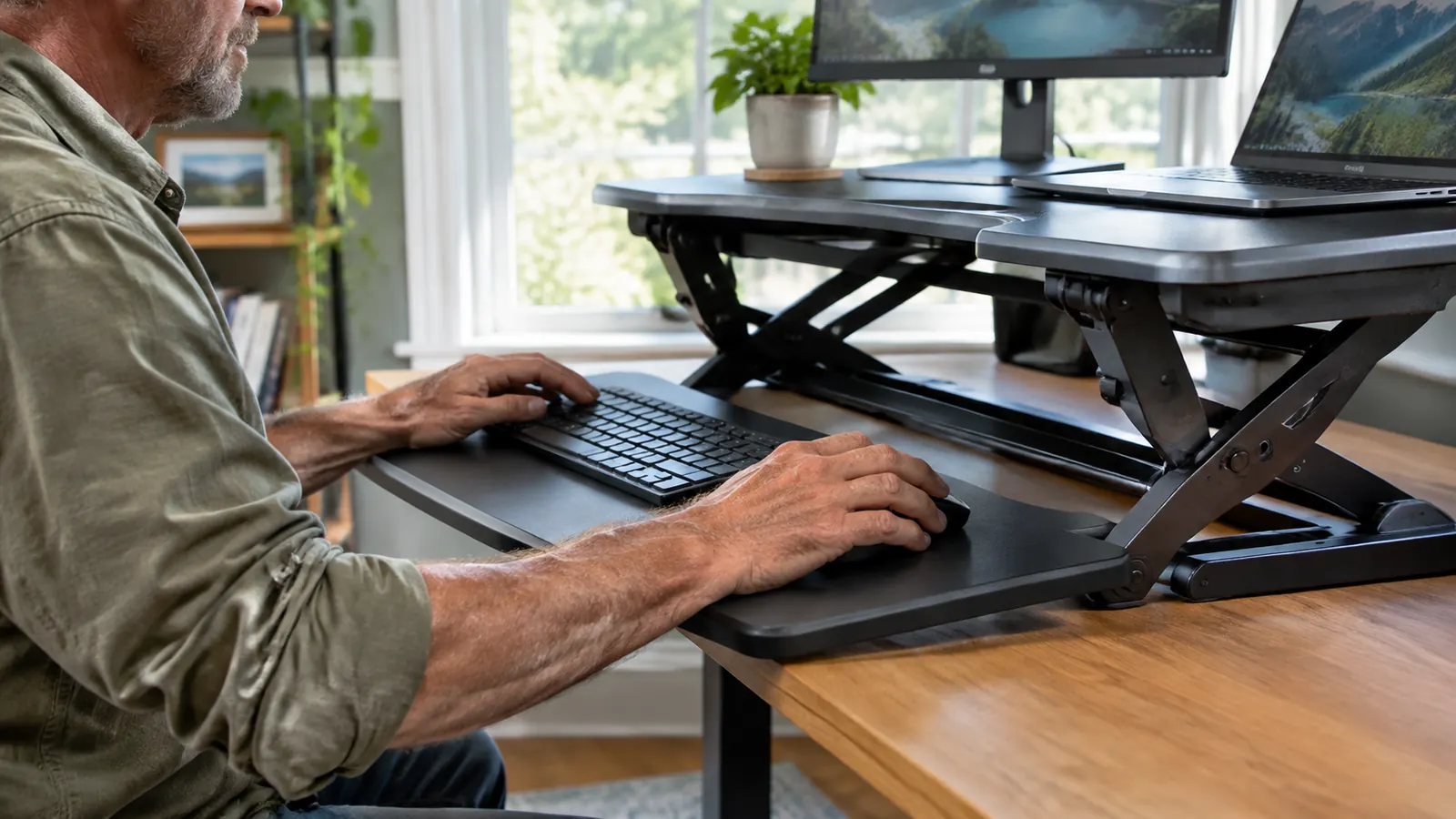
The converter has two surfaces: a raised platform for the monitor and a lower tray for the keyboard and mouse. The tray slides out from under the main platform, and I did not expect to like that design as much as I do. It keeps my keyboard at the right height for my arms while the monitor stays at eye level. For the first month I used the VIVO only when my back started to hurt. By the second month it became a habit. I raise it for one writing block in the morning and one block after lunch, and I lower it when I am doing closer editing work on the laptop.
I keep a small anti fatigue mat under my feet when the converter is up. I bought it years ago for kitchen work and it makes a real difference in my calves after a long session. Without it, I last about twenty minutes before I start shifting my weight. With it, I can stand for a full writing block and still feel comfortable. This is not part of the converter itself, but it belongs in any honest review of standing work.
What Nobody Tells You Before You Buy
First, the advertised setup time is optimistic. The website says assembly is quick, and it is quick if you have put together flat pack furniture before. For a first time converter owner, budget an hour and keep the Allen wrench nearby. The screws are fine but there are several of them, and one hole on my unit did not line up perfectly. I had to loosen every screw on that side, nudge the bracket, and tighten them again. It is not a defect. It is simply the way metal brackets behave when you are working alone.
Second, the keyboard tray is not as deep as the product photos suggest. My keyboard is a standard wired model and it fits, but the mouse has about an inch of clearance to the right. If you use a mouse with a large palm rest, you will find your arm at an awkward angle. I swapped to a compact mouse after the second week, and that cleared the problem. The tray does slide out far enough to give me a natural wrist angle, which is more important than the exact depth.
Third, the converter changes your desk even when it is fully lowered. The base extends underneath and takes away some legroom. My chair armrests just clear the underside, but only when I set them at their lowest position. If you have a chair with fixed armrests or a desk with a lower crossbar, measure the space under your desk before you order. This is the kind of detail you cannot see in a photograph, and it is the first thing I would check if I did it over.
The gas spring also needs a little warm up on cold mornings. If the room is below sixty degrees, the first raise feels stiffer and the lever requires more effort. After the first full cycle it smooths out. I noticed this because my office gets cold in February. It is not a problem, but it is the kind of behavior that never makes it into the description.
One more thing about laptops: if you use a laptop on a stand beside your main monitor, as I do, the stand will not fit on the top platform next to the monitor. You have to put the laptop on the keyboard tray, which means sliding the tray all the way out and losing space for your mouse. I solved it by keeping the laptop on the desk itself and using the converter only for the main monitor. It is not a fault of the VIVO, but it is the kind of real world friction that reviews rarely mention.
The Wobble Question
At full standing height, the VIVO has a gentle forward and back rock when I type quickly. It is not the violent wobble you get with a cheap laptop stand, but it is there. My monitor is on its original stand, and the entire platform moves together, so the text on screen jiggles slightly with each keystroke. The wobble is most noticeable at the very top of the range. One notch lower, at the second height setting, the platform feels almost solid. I keep the converter at that setting and I do not think about movement anymore.
If you use two monitors or a monitor mounted on an articulated arm, you will feel more movement because there is more mass above the pivot point. The VIVO is also only as stable as the desk it sits on. My desk is an older solid wood piece that weighs enough to stay put, but if your desk is a hollow core model from a big box store, the whole top will flex with the converter. I tested the VIVO on a friend's hollow core desk during a weekend writing session and the difference was obvious. Sturdy desk first, converter after.
I also learned to type a little softer when I am standing. My normal typing has a hard rhythm from years at a desk, and the jarring carries straight into the platform. When I make a conscious effort to relax my wrists, the jiggle mostly goes away. It is a reminder that the converter is a moving piece of furniture, not a concrete slab.
At the highest setting my monitor jiggles when I type hard. One notch down and the wobble disappears.
What I Would Change
If VIVO asked for my notes, the first thing I would change is the cable channel. The converter has a narrow channel underneath, but my power strip cable, monitor cable, and USB hub cable all fight for the same space. I ended up using two Velcro ties to keep everything organized, which works but looks like my own do it yourself solution. A wider channel with a clip would make the install feel finished.
I would also make the height levers easier to reach. They sit on the underside of the platform, and at five foot six I have to bend slightly to flip them while the desk is at standing height. It is a small motion and I got used to it within a week, but it does interrupt the flow when I want to lower the desk quickly.
The raised back lip on the top platform keeps the monitor from sliding, which is good. It also collects dust along the seam, and cleaning under that lip is awkward. This is a minor thing, but it is the kind of detail that shows up during week three rather than day one.

Why Not a Full Standing Desk?
Before I settled on the VIVO, I looked seriously at full standing desks with motorized frames. A complete desk would have solved the wobble and given me a cleaner look, but it also meant clearing my desk, disconnecting three cables, moving a heavy desktop, and rethinking a room I had only just made functional. The converter gave me standing height for a fraction of the work. It is not as elegant as a desk that rises and lowers with a button, but it does the two things I need: it lifts my monitor to eye level and it keeps my keyboard at a height that does not strain my shoulders. For a room that is already set up, the converter is the less disruptive answer.
What I Liked
- Fits on an existing desk and raises a monitor to standing height
- Setup takes about an hour and requires no drilling or wall mounting
- The lower keyboard tray slides out to create a natural wrist angle
- Solid at the second height setting, where I do almost all my standing work
- Well reviewed by people with the same back pain I have
Where It Falls Short
- Noticeable front to back wobble at the highest setting
- Keyboard tray is shallow for larger mice
- Base takes away legroom and may not clear chair armrests
- Cable channel is too narrow for a typical home office
- The raised back lip collects dust and is hard to clean
Who This Is For
The VIVO desk converter makes sense if you have one main monitor, a desk that is already in the room, and a back that is tired of sitting in the same position for six hours. It is for someone who does not mind spending an hour with an Allen wrench and who accepts that the top of the range will flex a little. If you live in an apartment or rented house and cannot bolt a desk to the wall, a converter like this is the practical answer. It has been on my desk for four months and it has not loosened, rusted, or failed to hold its height.
Who Should Skip It
If you run a dual monitor setup with both screens on arms, the VIVO will feel crowded and the added weight will make the wobble worse. If you do precision work that demands a surface with zero movement, like drawing on a tablet or soldering electronics, spend the money on a motorized standing desk instead. I would also tell someone with a flimsy desk to fix the desk before adding a converter, because the converter only amplifies what is underneath it. And if you are under five foot two or over six foot two, measure carefully. The lowest and highest settings may not match your natural elbow height.
One final caution: if your work involves long stretches of video calls while standing, the built in camera on your laptop may end up too low or too far away. I use an external webcam on a small arm, which solves the problem. A converter is not the right tool for someone who expects to stand in front of a laptop with the built in camera at chin level.
The Bottom Line
After four months of daily use, the VIVO has earned its place on my desk. It is not perfect. The highest setting wobbles, the keyboard tray is shallow, and assembly took longer than the instructions suggested. But every one of those complaints is small next to the difference it has made for my back. I can stand for part of the day without moving to another room or buying another desk, and that was the whole point. If your situation is close to mine, I think you will be happy with the same compromise.
Ready to give your back a break without a new desk?
The VIVO sit stand converter is the exact model I have used every day for four months. It is not a magic fix, but it is an honest, practical one.
Amazon Check Today's Price on Amazon →