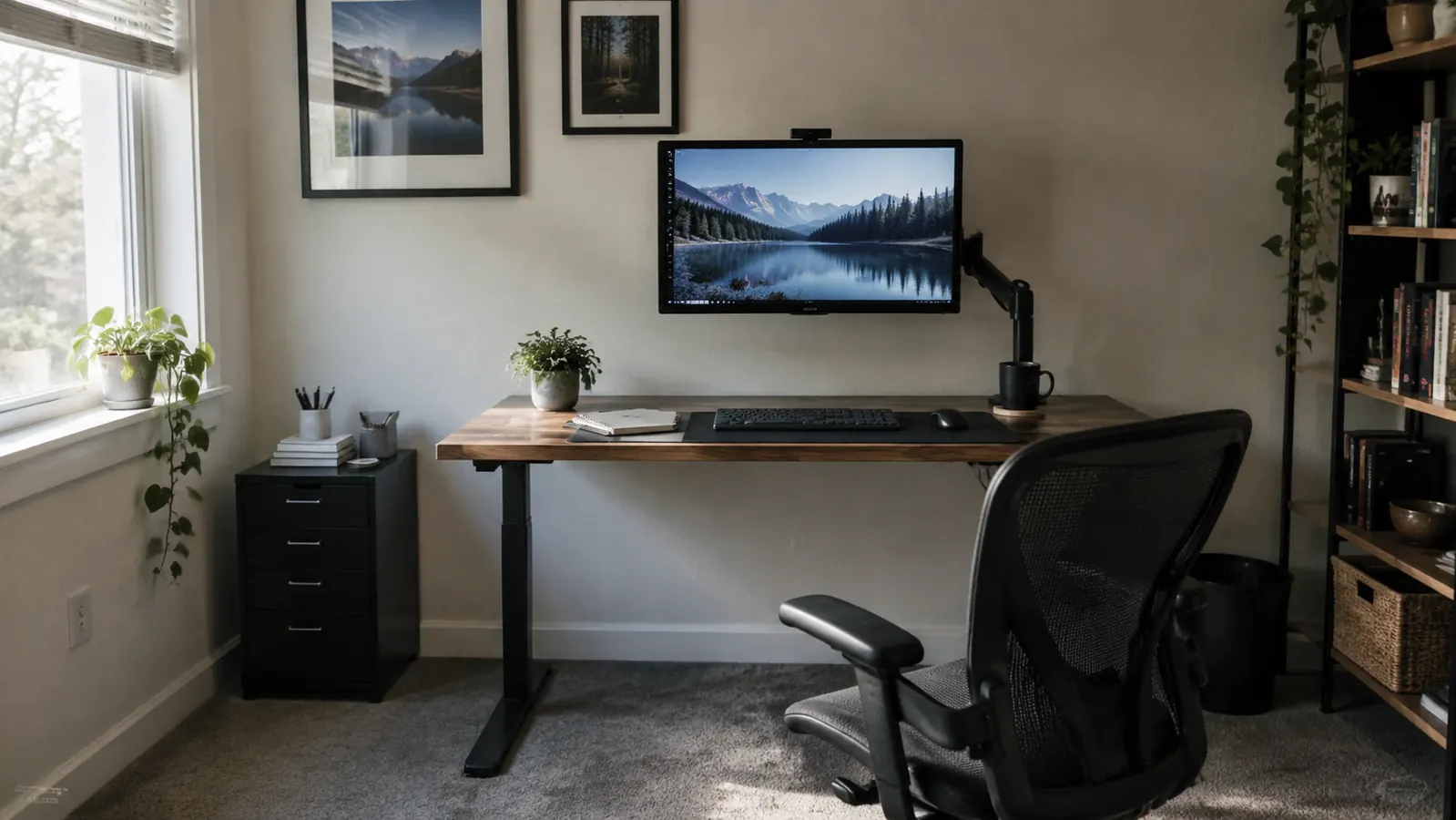
For the past fourteen months, the VIVO single monitor arm has held my main screen above my desk while I write manuals for industrial clients. I bought it after the eighth week of remote work in my converted spare bedroom ended with my neck in the same knot it had been in since my 2015 car accident. A stack of old textbooks under the monitor was not a long-term plan, and my lower back was telling me that in a language I could not ignore. I am writing this review from the same chair, on the same desk, because after a year of daily use the arm is still doing the job I bought it for.
I want to be clear at the top: I have no stake in whether VIVO works for you. I ordered this arm from Amazon, mounted it on my own desk, and have lived with it through deadline weeks, video calls, and one ill-advised attempt to reposition the whole thing in the middle of a deadline week. This review is about what actually happens after the box is unpacked and the good first impression fades. If you are weighing a monitor arm against another stack of books, here is the honest picture, including the part I had to fix twice.
The Quick Verdict
For a single fixed desk, the VIVO has held my 24-inch monitor exactly where I need it for over a year. The clamp is solid, the height holds, and the desk space it frees matters more than I expected. It is not the smoothest arm on the market, but it is the one I keep using.
Amazon Check Today's Price →Your monitor should meet your eyes, not the other way around
If your neck complains by mid-morning, the fix may be as simple as getting the screen off your desk. This is the VIVO single monitor arm I have used every working day for over a year.
Amazon Check Today's Price on Amazon →How I've Used It
I work in a 10 by 11 foot spare bedroom at the back of a 1990s ranch house. The desk sits against the long wall, with a north-facing window on my left and a beige carpet I cannot replace. My main monitor is a 24-inch screen that I run at 100 percent scaling because my eyes are no longer twenty-five. The VIVO clamps to the back edge of a desk overhang about one and a half inches thick. The clamp's top pad rests on the desk surface, and the bottom pad tightens underneath. I did not need to drill a hole or attach a base plate.
I use the arm every working day, usually nine to five. It holds the monitor far enough back that my keyboard and a spiral notebook fit underneath. I have repositioned the screen dozens of times: pulled it closer during a screen share, pushed it back when I need to write by hand, tilted it down when afternoon glare hits the panel. The arm moves in short, firm increments rather than one fluid glide. It has never sagged, never slipped, and never left the monitor at a slightly different angle than I set. That consistency matters more than smoothness.
A laptop and its dock sit to the left of the main monitor on a small adjustable riser. That laptop is not attached to this arm, and that is the right call. The VIVO is built for the primary screen, the one that weighs the most and takes up the most room. The laptop only needs to be lifted a few inches to match the main screen's height, so a simple riser handles it. If you run a laptop beside a main display, budget for a riser, but you do not need a second monitor arm.
Installation: The Part I Nearly Gave Up On
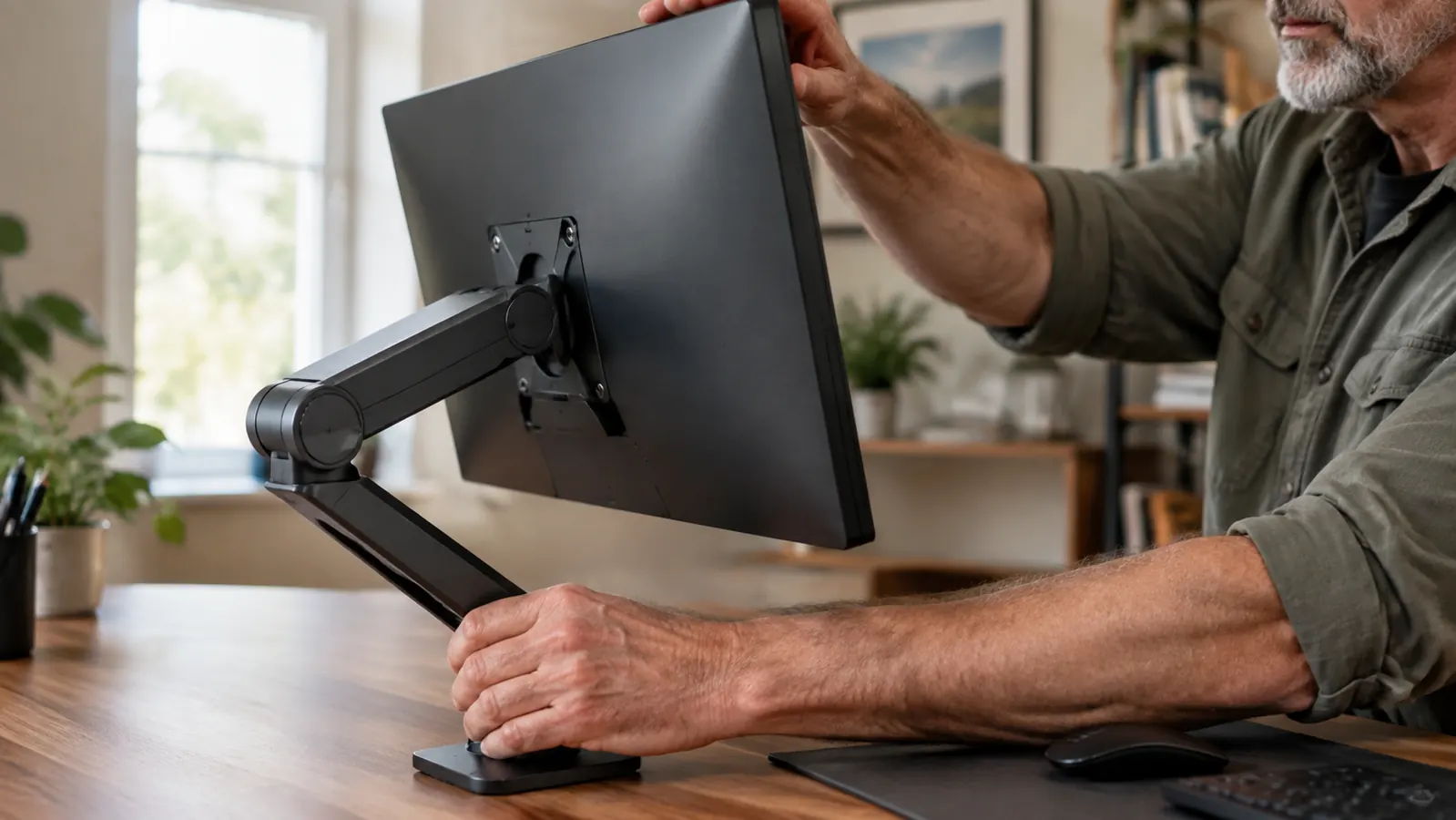
The VIVO box arrived with a C-clamp, a grommet mount, a bag of screws, and enough hex keys to make me wonder if I had ordered furniture instead. The clamp is the simpler route when your desk has a proper overhang. Mine does, so I chose that. The instructions are clear as far as these things go, but the tightest bolt sits under the base, and you have to hold the arm upright while you tighten it. I managed by propping the arm against a thick three-ring binder while I worked the Allen wrench. My first attempt left the arm at a slight angle, and I had to loosen it and start over.
The part that nearly defeated me was the VESA plate. My monitor uses the standard 100 by 100 millimeter hole pattern, and VIVO includes the right screws. What I did not expect is how firmly the monitor must click onto the arm's tilt mechanism. The manual says to push until it locks. It did not lock on the first, second, or third try. I sat on the carpet, read the troubleshooting page on my phone, and realized I had not loosened the tilt tension enough. Once I did, the panel slid on with a satisfying click. If you hit the same wall, loosen everything before you attach the screen, then tighten it after.
About three months later I tried the grommet mount, because I needed to use the arm on a borrowed desk at a client site. That desk had no overhang, only a metal surface with a small opening in the back corner. The grommet base drops into the opening and tightens from underneath. It worked, but the desk itself was flimsy, and the whole assembly wobbled once the monitor was attached. That was the desk's fault, not the arm's. On the solid wood desk in my office, the clamp version has not budged in more than a year.
A Year of Daily Adjustments
A monitor arm is not set-and-forget for me. My schedule changes enough that the screen needs different heights. In the morning I lean back in my chair to read email, so I raise the screen about two inches. By mid-afternoon, when I am editing dense tables, I tilt the screen forward maybe ten degrees and lower it an inch. The VIVO adjusts without a tool. The tension system inside does not drift by itself. I know because I keep a thin strip of painter's tape on the vertical post, and the top edge of the collar does not move between adjustments.
Over a year I have also learned how much horizontal reach matters. The arm extends enough to pull the screen six or seven inches closer when I need to read fine print. That is my main adjustment now. Before the arm, I used to lean forward in my chair and round my lower back. Now I move the screen instead of my spine. It is not a cure for my old injury, but it has removed one daily trigger, and that counts when you sit in the same seat for six hours.
It has never sagged, never slipped, and never left the monitor at a slightly different angle than I set.
One rainy Tuesday in March I had a long video call and needed to position the monitor so my camera, which sits on top of the screen, did not point at the bright window behind me. I swung the arm a few degrees to the left, tilted the screen down, and locked it in place. The adjustment took about fifteen seconds, and I did not have to move the keyboard or the stack of drafts underneath. That kind of quick flexibility is why I would not go back to a fixed monitor stand.
One more thing that surprised me: the arm does not wobble when I type. I type heavily, and my old monitor stand transmitted every keystroke into the screen. The clamp holds the monitor tight enough that the panel barely moves even when I am hitting the keyboard hard. That is not a specification you will read on the box, but it is why I notice the arm every single day.
Where It Still Falls Short
No piece of my office gear is perfect, and the VIVO is not either. The tilt mechanism is the weakest part. It is tensioned with a small screw, and I have to give it a quarter turn every few months to keep the monitor from drooping after I let go. For a few weeks it stays put, then it starts to dip by a degree or two. I tighten the screw, and it is good for a few more months. This is routine maintenance, not a deal breaker, but I would not call the arm maintenance-free.
The cable channel is the other shortcoming. The arm has a plastic track along the underside, but my monitor's power cable is too short and too stiff to tuck in neatly. I ended up attaching a short extension cord and a few adhesive clips to keep the cable from catching on the arm's joint. It took about twenty minutes on a Sunday afternoon. The channel works fine for thin DisplayPort and USB cables, but the thick molded plug near the connector does not fit. If you hate visible wires, budget time and a couple of cable ties.
The movement is also not what I would call smooth. It is more of a firm push followed by a stop. Raising the monitor takes two hands: one on the panel and one on the arm's base, or the monitor tips a little before the tension catches. I have learned to grab both, and now it feels natural. In the first month I knocked a ceramic mug off my desk with my elbow while trying to nudge the screen one-handed. Nothing broke, but the learning curve was real.
Why I Didn't Just Go Back to the Monitor Stand
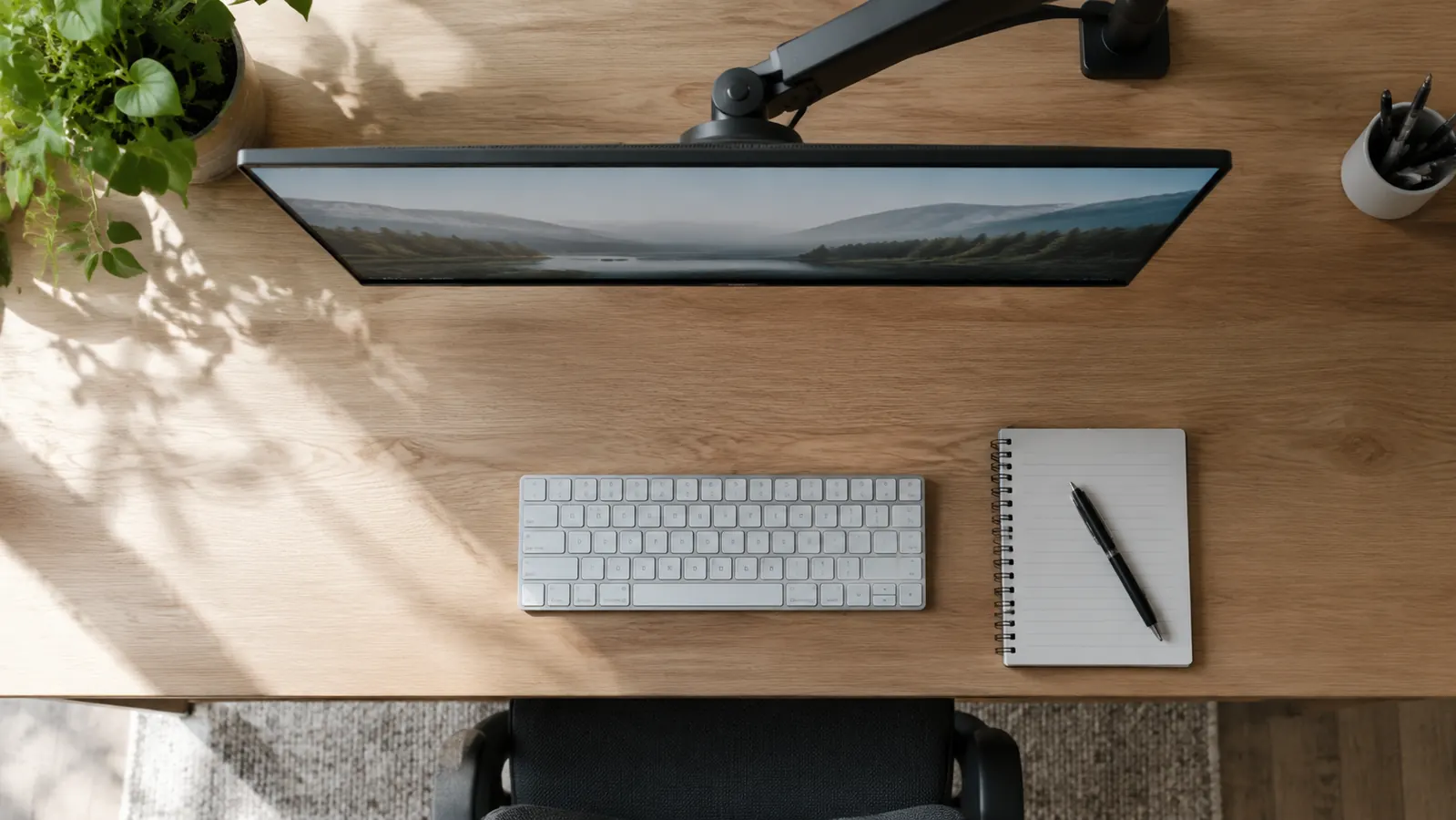
Before the VIVO I used a simple monitor stand, the kind that raises the screen three or four inches and leaves a shelf for pens. It was fine when my chair was one height and my back felt okay. Then I replaced a broken office chair with a used ergonomic model that sits a little higher. The stand put the screen too low again. I slid a notebook under the monitor to compensate, but the stack wobbled, and I was back to the same neck strain. The monitor stand could not grow with me. The VIVO can. I have already raised it an inch and a half without buying anything new.
There is also the question of depth. The monitor arm lets me push the screen much farther back when I need to see the whole page or share my desktop on a call. A monitor stand parks the screen in one fixed spot. With the arm, I can pull the monitor close when I am proofreading a long contract and push it back when I am taking notes on a discovery call. My desk is small, and that variable depth makes the room feel larger than it is.
I do keep a monitor stand in the closet for the day this arm leaves my office, but after fourteen months I have not needed it. The VIVO is one of the few home office purchases from the past year that has never made me want to replace it. It does its job quietly, and it stays out of the way.
What I Liked
- Clamp and grommet mounts included, so it fits a desk with an overhang or a grommet hole
- 22-pound capacity easily handles my 24-inch monitor with room to spare
- Height and tilt hold between occasional tension adjustments
- VESA plate fits the standard 100 by 100 millimeter pattern
- Frees up the entire footprint of a monitor stand
Where It Falls Short
- Tilt screw needs a quarter turn every few months to stop slow droop
- Thick monitor cables do not fit the internal channel cleanly
- Arm movement is firm and slightly stiff, not fluid
- Single monitor only, so two-screen setups need the dual version
Who This Is For
This arm is for someone who works at one desk with one main monitor and wants that screen at the right height all day. It is for the freelancer, the hybrid employee, or the retired consultant who set up a spare room and noticed the neck ache showing up by three in the afternoon. If your desk has a back edge at least half an inch thick and your monitor is not heavier than 22 pounds, the VIVO is a straightforward fix. You do not need a fancy standing desk or a new chair to feel the difference.
I would also recommend it to anyone whose desk does double duty for typing and paper work. The ability to swing the screen out of the way when you need to write on a legal pad is not a luxury once you have tried it. It turns the same square feet of desk into a much more usable space, and that matters in a room that is only 10 by 11 feet.
Who Should Skip It
Skip the VIVO if your monitor is heavier than 22 pounds or if you need to position two large screens side by side. A dual monitor arm will serve you better. Skip it if your desk has a thick modesty panel or a false back edge that leaves no clean place for the clamp; the grommet mount can handle a hole, but not every desk has one you want to drill. And if you are chasing glass-smooth, tool-less adjustability with a hidden cable channel that swallows a thick power brick, plan to spend more money on a premium arm.
A year later, I still reach for this arm first
The VIVO single monitor arm is the fix I keep recommending to friends with the same neck ache. Start with the current price on Amazon and see if it fits your desk.
Amazon Check Today's Price on Amazon →