
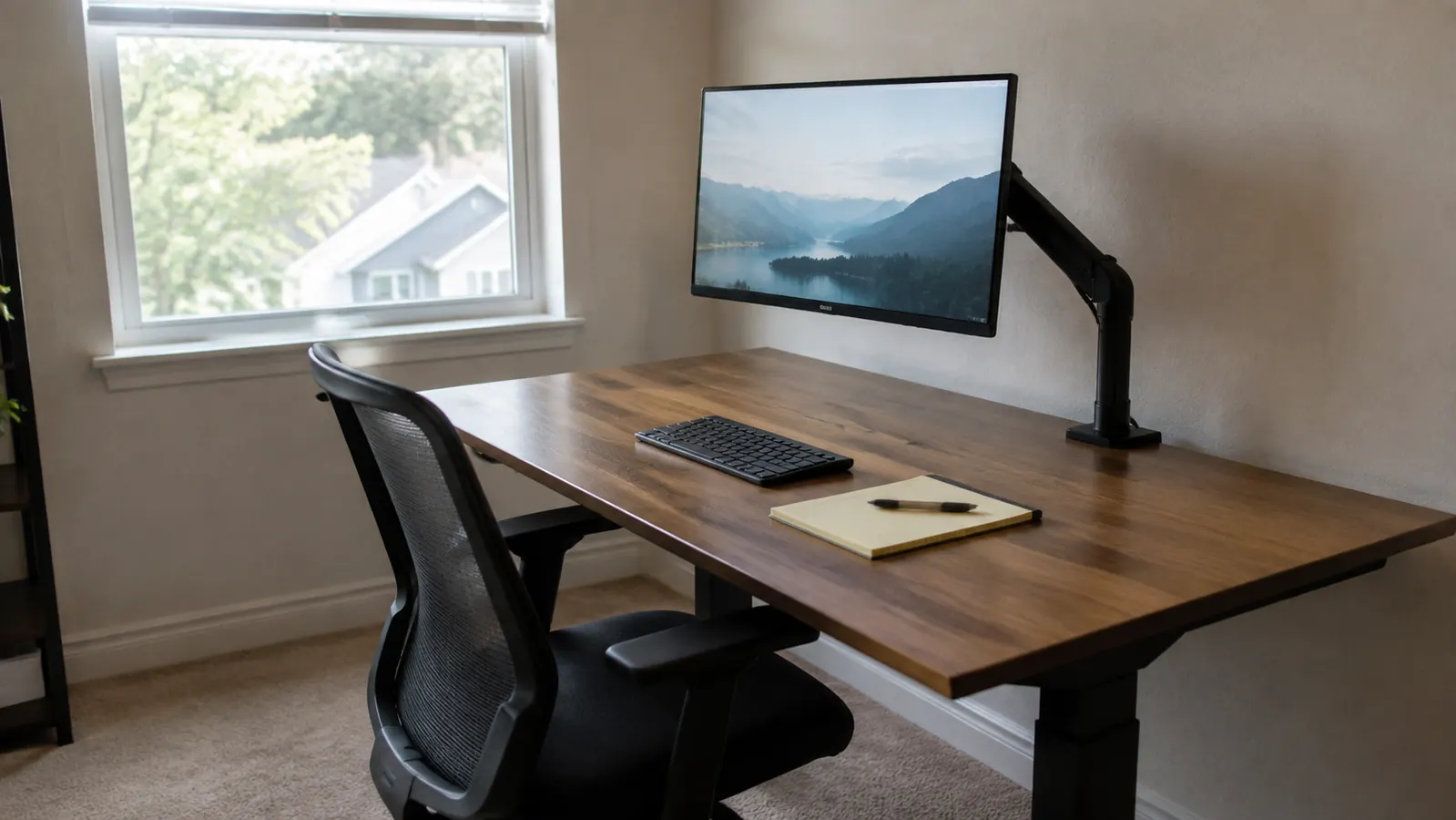
My monitor spent four years sitting on a plain riser, and my neck kept sending me the invoice. I write manuals for industrial clients out of a ten by eleven foot spare bedroom in Raleigh, one north-facing window on the left, beige carpet I cannot replace, and a desk pushed against the long wall. On that desk I run one main screen with a laptop on its own stand beside it. The riser was a simple thing, a shelf on two side panels, and it did lift the monitor. What it could not do was lift the monitor far enough, or move it at all once it was up there. Last March I took the riser out and clamped a VIVO monitor arm to the back edge of the desk instead. The way my neck feels at four in the afternoon is the reason I am writing this comparison at all. I still want to be fair to the riser, because there are two or three things it does that the VIVO honestly cannot.
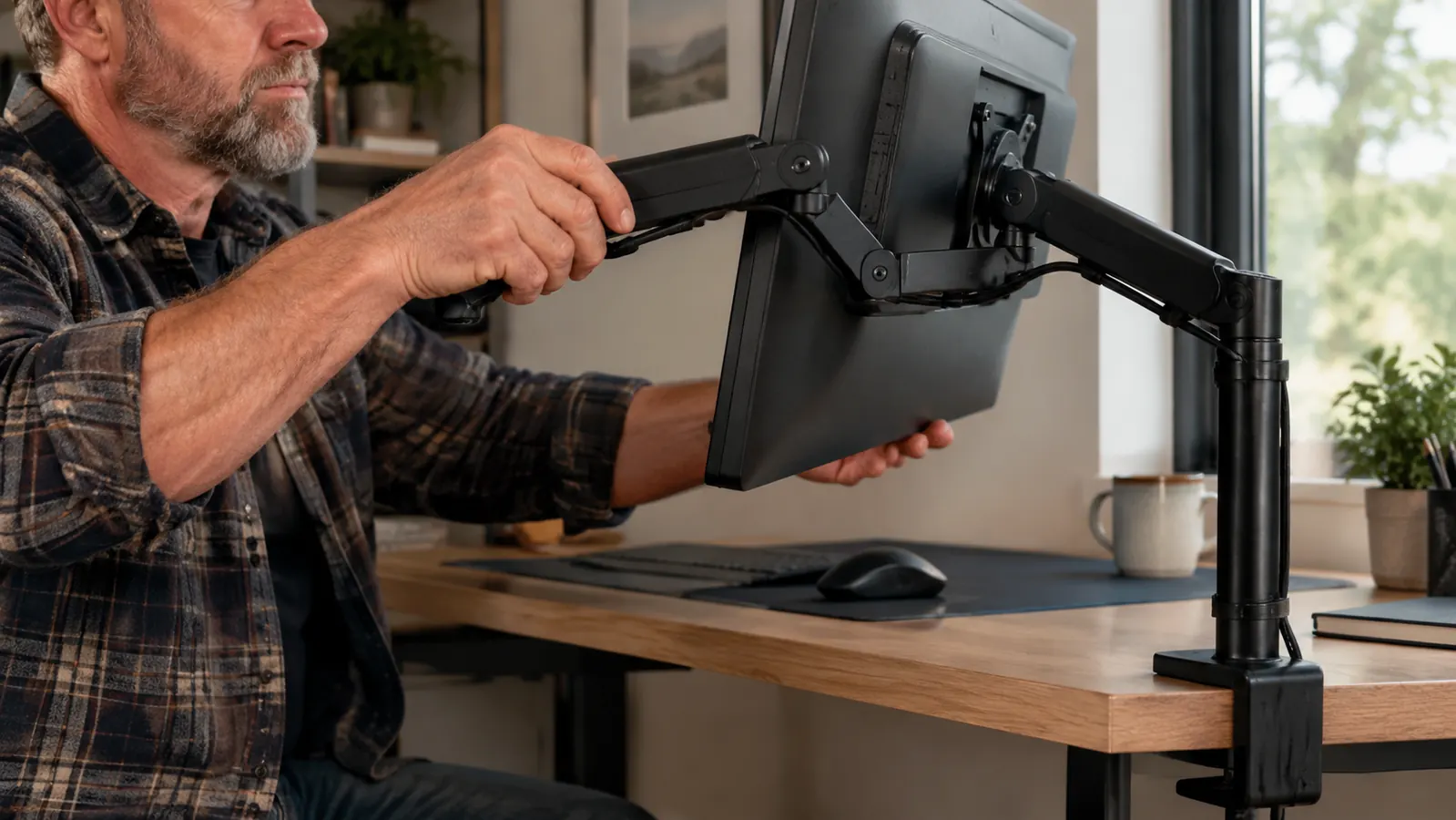
Short answer: if the problem you are trying to solve is neck strain, the arm wins and it is not close. The VIVO I mounted is the single-screen model rated for monitors up to 32 inches and 22 pounds, with a C-clamp for the back edge and a grommet option if your desk has a cable hole. It holds the screen on a pole and two jointed segments, so height, depth, tilt and swivel all move independently. A riser holds the screen at exactly one height, the height of the box, forever. Everything below comes from running the VIVO daily from March through the end of August, in the same room, at the same desk, with the same lower-back complaint I have carried since a car accident in 2015.
| VIVO monitor arm | Plain monitor stand or riser | |
|---|---|---|
| Height range | Continuous along the pole, so you set eye level to the millimeter and change it whenever you want | One fixed height, whatever the box happens to be, usually about four or five inches |
| Depth adjustment | Two jointed segments push the screen back or pull it forward by roughly a foot | None. The screen sits where the riser sits, and the riser sits where the desk allows |
| Desk space recovered | The whole footprint under the screen comes back, base and all | Gives you a shelf above and a cubby below, which is useful storage if you want it |
| Setup effort | Clamp, pole, VESA plate, cable routing, and about forty minutes the first time | Take it out of the box, set it down, put the monitor on it. Two minutes |
| Desk requirements | Needs a flat back edge in the clamp thickness range and clearance behind for the clamp jaw | Needs a flat surface, and that is the entire list |
| Screen weight limit | Rated to 22 pounds, which covers most single monitors up to 32 inches | Limited by the shelf itself, and most cheap risers flex under a heavy screen |
| Sharing a screen on a call | Swings toward a second chair in one motion without moving the desk | You move your chair, or you move the person |
| Moving house or desks | Unclamp, unthread cables, reassemble at the other end | Pick it up |
Where the VIVO Arm Wins
Eye level is the whole argument, so I will start there. The advice I kept reading was that the top of the screen should sit at or slightly below eye height, and with a riser I was guessing at that with a box. My riser lifted the monitor about four and a half inches. Measured against how I actually sit, I needed closer to seven. The gap does not sound like much written down. In practice it was the difference between looking straight ahead and holding my chin about ten degrees down for six hours, which is exactly the posture that had my neck stiff by mid-afternoon. On the VIVO the screen slides up the pole and locks with one bolt, so I set it once with a tape measure against my own seated eye height and stopped guessing.
Depth turned out to matter almost as much, and I had not thought about it at all beforehand. My desk is only about twenty-six inches deep, which is shallow, and with a riser the monitor sat as far back as the desk allowed and that was still too close. I was reading a 27 inch screen from roughly twenty inches away and leaning back to take in the whole thing. The arm pushes the panel out over the back edge of the desk, past where the desk physically ends, so I gained about five inches of viewing distance out of nothing. That one change did more for eye strain than any monitor setting I have ever adjusted.
Then there is the desktop I got back. A riser occupies its whole footprint whether or not you use the cubby underneath, and mine had become the place where sticky notes and a stapler went to be forgotten. With the VIVO, everything under the screen is clear desk. I put my keyboard where the riser used to stand and moved a legal pad to the right of it, which is where I actually write. My desk is four feet wide and it is genuinely a different desk now. Anyone in a small room should count this as a real benefit rather than a bonus.
Adjusting the screen during the day is the thing I did not know I wanted. When I proofread a long PDF, I pull the monitor forward and tilt it back a few degrees so the page angle matches a sheet of paper on the desk. When I get on a video call I push it back so the webcam sits further from my face. When a client wants to look at a drawing with me, the arm swings the panel toward the second chair without either of us standing up. On a riser, every one of those is a chair adjustment or a neck adjustment instead of a screen adjustment. I did more of those than I realized until I stopped having to.
The build is plainer than the marketing photos suggest, and I mean that as a compliment. The clamp is a steel C with a rubber pad, the pole is a straight tube, and the joints hold friction with hex bolts you tighten with the included key. Nothing about it is delicate. After the first two weeks I re-tightened the tilt joint about a quarter turn because the screen had started to nod forward under its own weight, and since then it has not moved. If you want the long-term view, I wrote more about how it has held up in my longer-term notes on this arm.
Where a Plain Stand Still Wins
Setup is not close, and I would rather say so plainly. A riser takes two minutes and asks nothing of you. The VIVO took me about forty minutes, and most of that was not the arm. It was working out that my desk has a lip on the back edge, moving the desk out from the wall to get the clamp jaw behind it, discovering the power strip was mounted exactly where the clamp wanted to sit, and then rerouting the monitor cable and the power cable up the pole so they were not hanging in a loop. None of it was hard. All of it was fiddly, and if you are not in the mood for fiddly on a Saturday, that is a fair reason to buy a riser.
The arm also has requirements, and a riser has none. The clamp needs a flat back edge inside its thickness range and clearance behind the desk for the jaw. My desk is a flat-topped writing desk about an inch thick, so it fit. A desk with a thick butcher-block top, a rounded lip, a back rail, or a top that overhangs a frame is a different conversation, and you want to measure before you order rather than after. You also want to know your monitor's VESA pattern, either 75 by 75 or 100 by 100 millimeters, and whether it has one at all. Some consumer screens do not, and then the arm is not an option no matter how good it is.
Storage is the quiet one people forget. A riser gives you a shelf, and the space under that shelf is somewhere to slide a keyboard at the end of the day or park a notebook. When I took mine out, I lost the only horizontal surface in the room that was not the desk itself, and it took me a few weeks to stop reaching for it. If your desk is cluttered and you want the screen up plus somewhere to put things, a riser is doing two jobs and the arm is only doing one.
And a riser cannot really fail. There is no joint to loosen, no clamp to work its way off an edge, no weight rating to respect beyond common sense about a shelf flexing. I am not nervous about the VIVO, but I did put a hand under the screen the first few times I swung it, and I did check the clamp bolt after a month. That is a small ongoing tax of attention that a wooden box does not charge you.
The Arm Is the One That Fixed the Neck Problem
After five months of running one screen on it in a small room, this is the piece of my setup I would replace first if it broke. The height range is the reason, the depth range is the surprise, and the desk space is the part I notice every morning. If your screen is sitting on a box and your neck aches by mid-afternoon, this is the model I would start with. Check today's price on Amazon.
Amazon Check Today's Price on Amazon →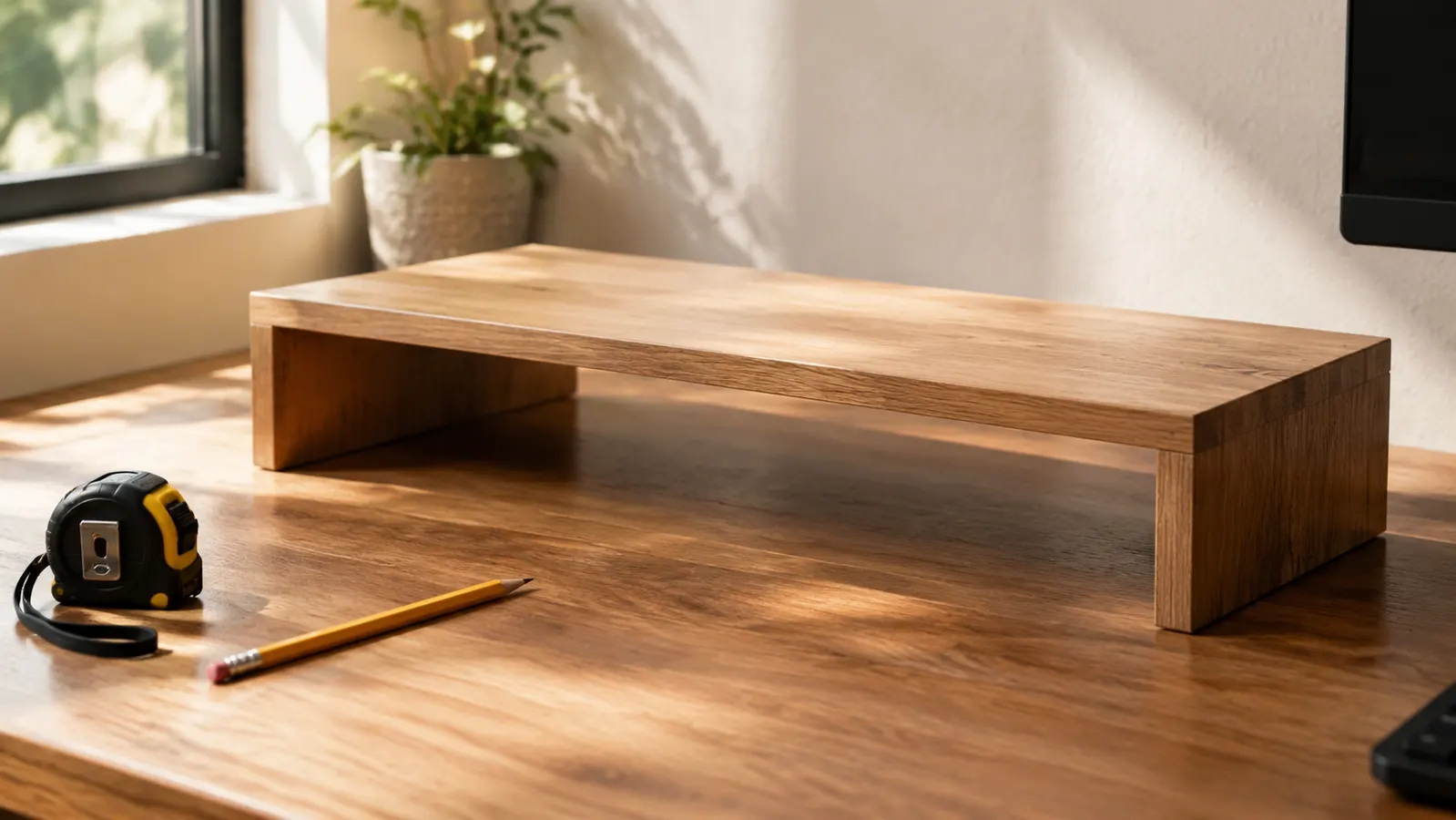
How I Would Actually Choose
Start with the symptom rather than the product. If your complaint is that the screen is too low and your neck hurts, and a four or five inch box would fix it exactly, a riser will fix it exactly and you can stop reading. If you have already tried a box and it was not enough, or it was too much, or the screen is now the right height but too close, then you do not have a height problem alone. You have a position problem, and only an arm has enough directions in it to solve that.
Measure three things before you buy an arm, and it takes about five minutes. Sit in your chair the way you actually sit, not the way you sit when you are thinking about posture, and have someone mark where your eyes land against the wall. Measure the thickness of your desk at the back edge and check it against the clamp range. Look at the back of your monitor for four screw holes in a square and measure the spacing. If those three numbers work, the rest is assembly. If any of them does not, you have saved yourself a return.
Consider the desk before the monitor. A shallow desk gains more from an arm than a deep one, because the arm is buying you viewing distance the desk does not physically have. A deep desk already lets you slide a riser back until the distance is right, which removes one of the arm's two big advantages and leaves only height. That was not obvious to me until I had lived with both, and it is the piece of advice I would give a friend first.
Think about how often you change position during a day. If you sit down at eight, work on the same document until noon, and never move the screen, the flexibility is worth less to you than it is to me. I move mine four or five times a day between writing, proofreading on a tilted screen, calls, and showing someone a drawing. If your day is one posture, the fixed height of a riser is not costing you anything as long as the height is right. The arm earns its price on variety, not on any single position. There is a longer list of the specific posture changes it made possible in this piece on posture and monitor height.
For me the choice ended up being simple. I have one small room, one shallow desk, one screen, and a back and neck that notice everything. The riser was the right first step and it was genuinely better than nothing, but it was a fixed answer to a question that turned out to have several parts. Five months in, the arm has been adjusted more times than I can count, has not sagged since that one re-tightening, and has given me back the strip of desk where my notepad now lives. I would buy it again, and I would spend the forty minutes again without complaining about it quite as much.
If You Are Ready to Get the Screen Off the Desk
Check your desk edge thickness and your monitor's VESA pattern first, then set aside a Saturday morning. The clamp and the pole do the rest, and you can set eye level with a tape measure instead of a guess. This is the single-screen model I have been running since March.
Amazon Check Today's Price on Amazon →